Onboarding takes forever
New devs can't see the full picture. They piece it together file by file.
Bugs hide in flows
Dead ends and broken paths go unnoticed until users complain.
Documentation lies
Those Figma flows from last year? They don't match reality anymore.
How it works
1
Click User Flows
CleanAI detects screens and routes (Next.js, SwiftUI, UIKit, Storyboard).
2
See the map
A zoomable Mermaid diagram with arrows showing navigation paths.
3
Click to navigate
Jump to any screen's source code. Real previews when available.
See it in action
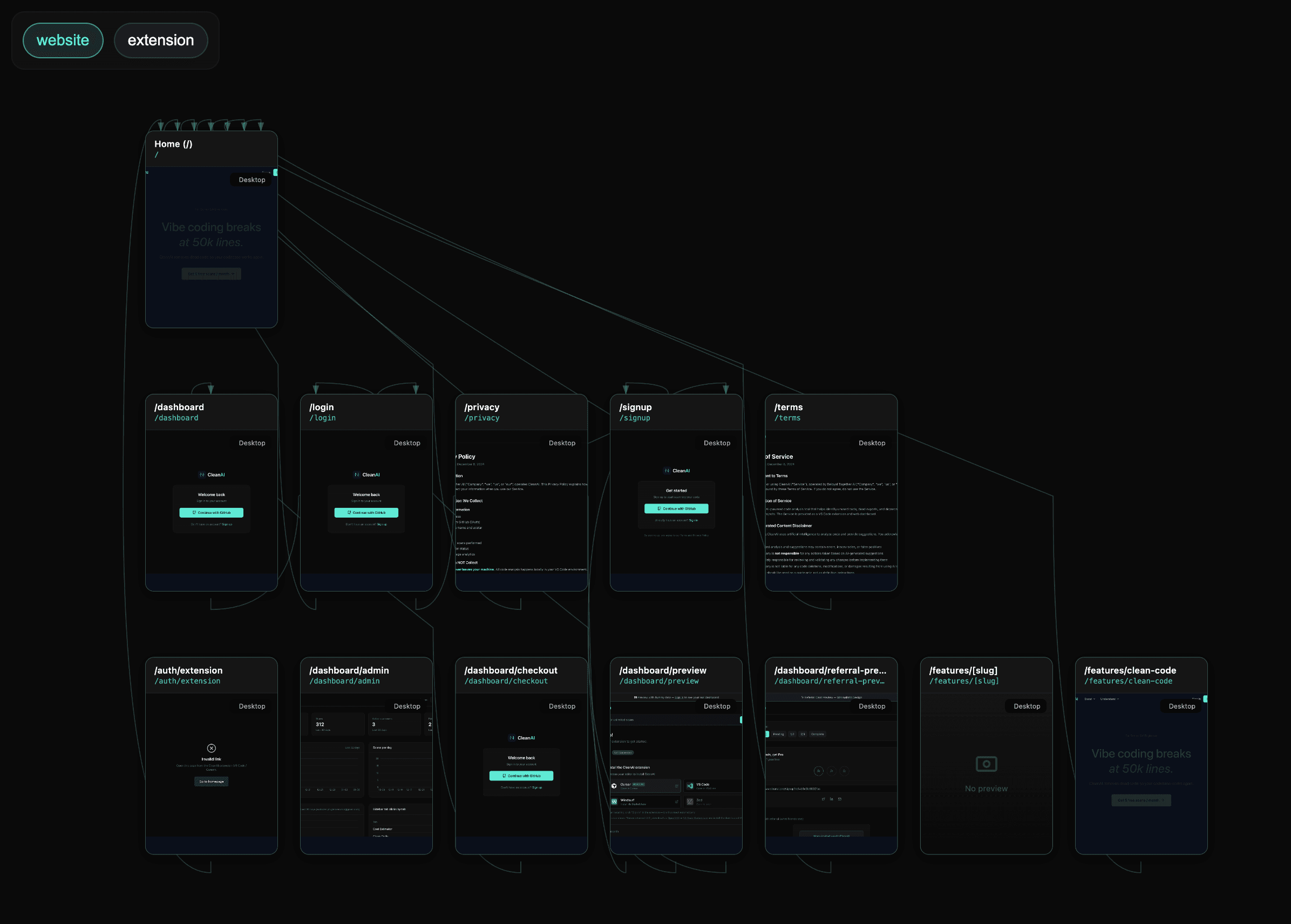
Generated user flows diagram showing all screens, routes, and navigation paths in your application.
Privacy
Diagram generation uses our AI proxy. Only file structure and key snippets are sent—never full source files.